IIS Permissions Best Practice
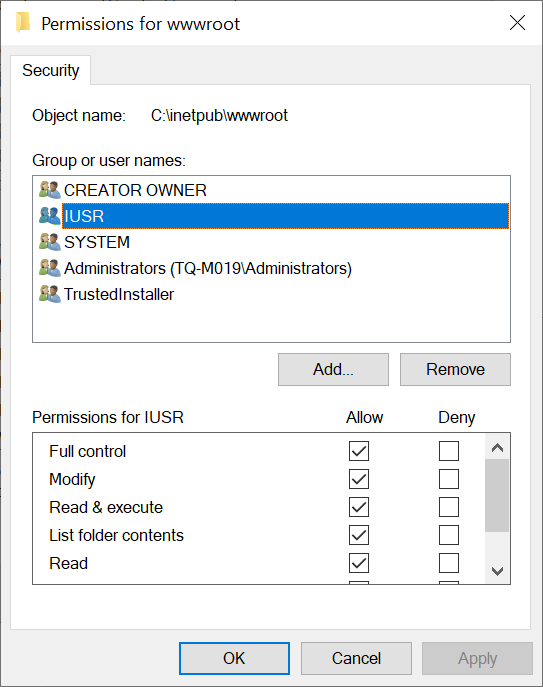
The default IIS permission configuration is a security problem that's easy to overlook until something goes wrong. By default, the IUSR account has broad access across the server's filesystem. A web application running under this identity — whether through a plugin, a vulnerability, or a misconfiguration — can potentially read or write files well outside its own directory.
The fix is to use Application Pool Identity instead, which gives each site its own isolated account with access only to what you explicitly grant.
The Risk
On a shared hosting server, the default IUSR account is shared across all IIS websites. Any application running as IUSR can potentially access files belonging to other sites on the same server. A compromised or misbehaving plugin on one site can affect all the others.
I discovered this the hard way — a WordPress plugin's file manager had filesystem access all the way to C:\ with full permissions.
The Fix: Three Steps
Step 1: Grant the Application Pool Identity access to the site directory
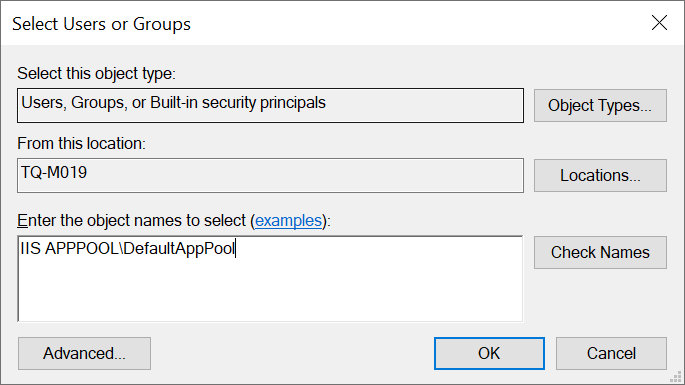
Open File Explorer, navigate to your site's root folder (e.g., C:\inetpub\wwwroot\yoursite), and open Properties → Security → Edit → Add.
Enter the app pool identity in the format:
IIS APPPOOL\YourAppPoolName
Grant it the appropriate permissions — typically Modify for most web applications, or Read & Execute for static sites.
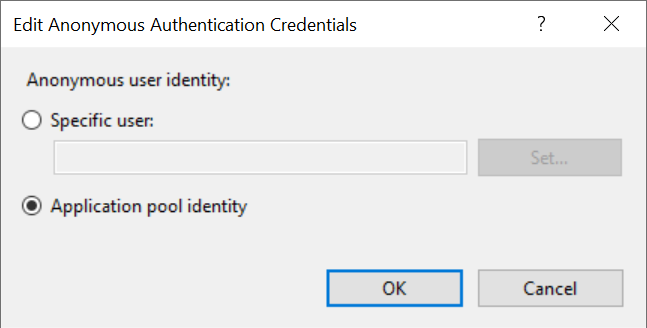
Step 2: Set Anonymous Authentication to use Application Pool Identity
In IIS Manager:
- Select the website
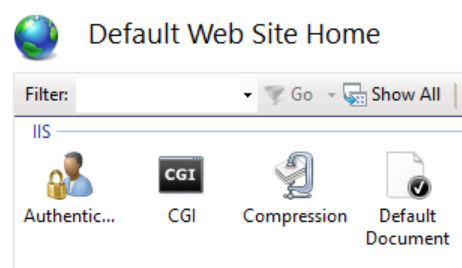
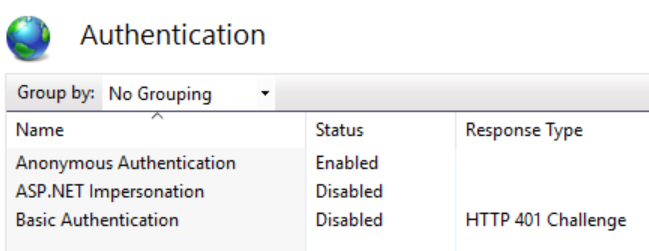
- Double-click Authentication
- Select Anonymous Authentication → Edit
- Choose Application pool identity
Step 3: Remove IUSR
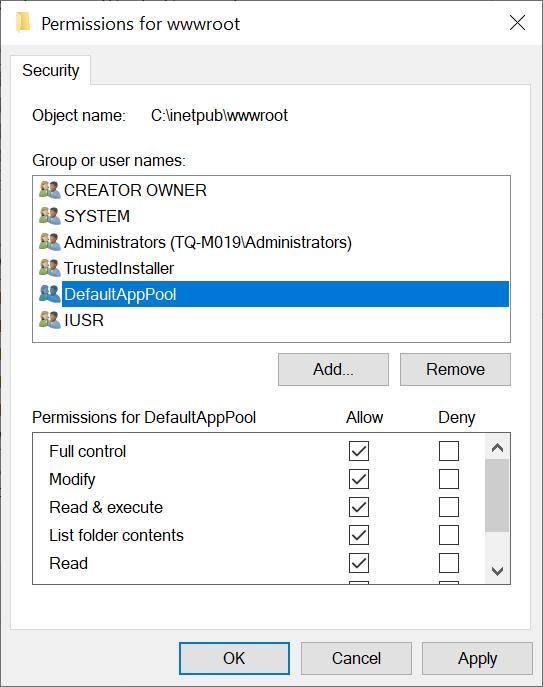
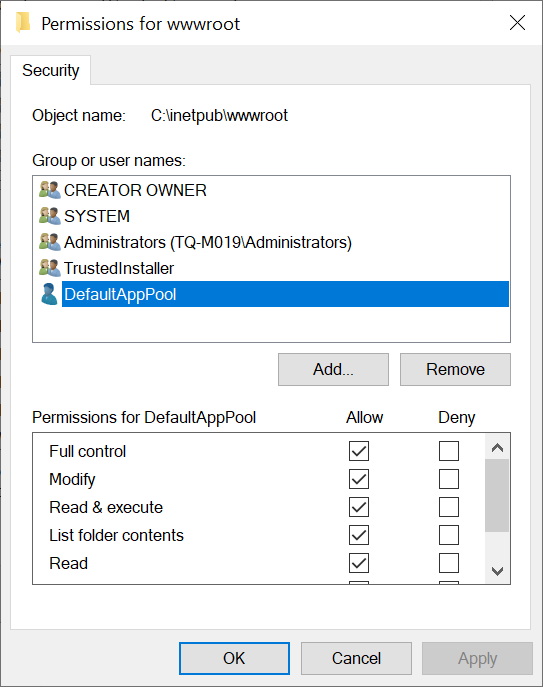
Go back to the directory's Security settings and remove the IUSR account. The site now runs entirely under its own isolated app pool identity.
Result
Each site's application pool identity only has access to that site's directory and any other paths you explicitly grant. A compromised or misbehaving application on one site cannot access another site's files. The blast radius of any web application issue is contained.
Apply this to every site on every IIS server — it should be the default, not the exception.